
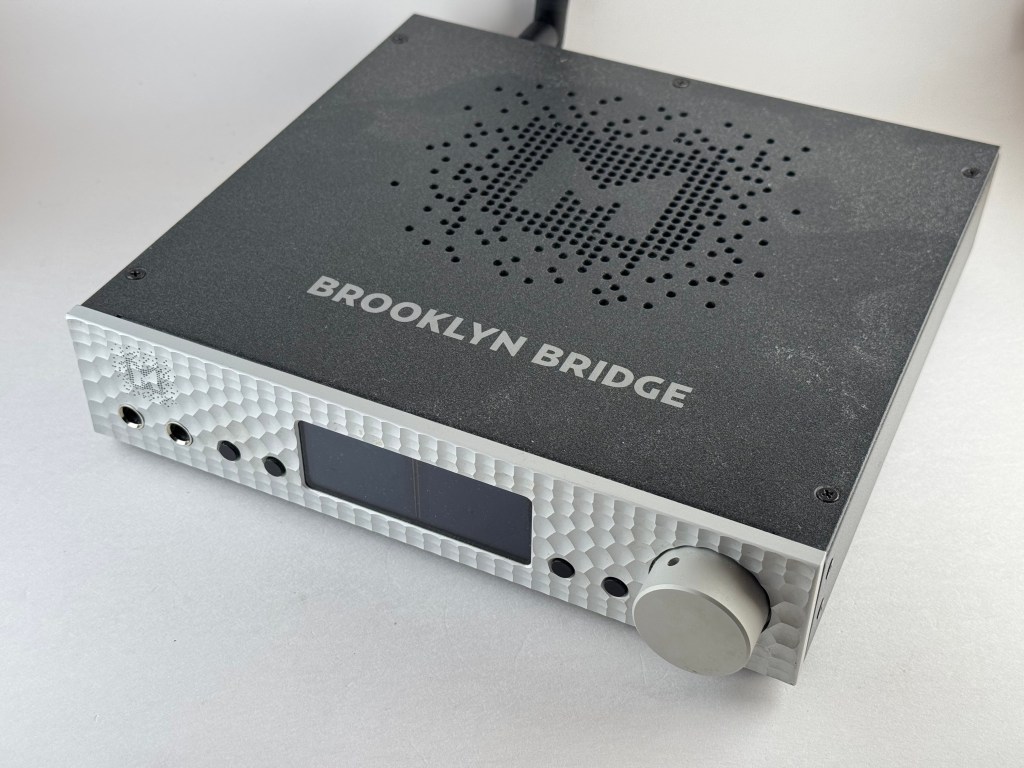
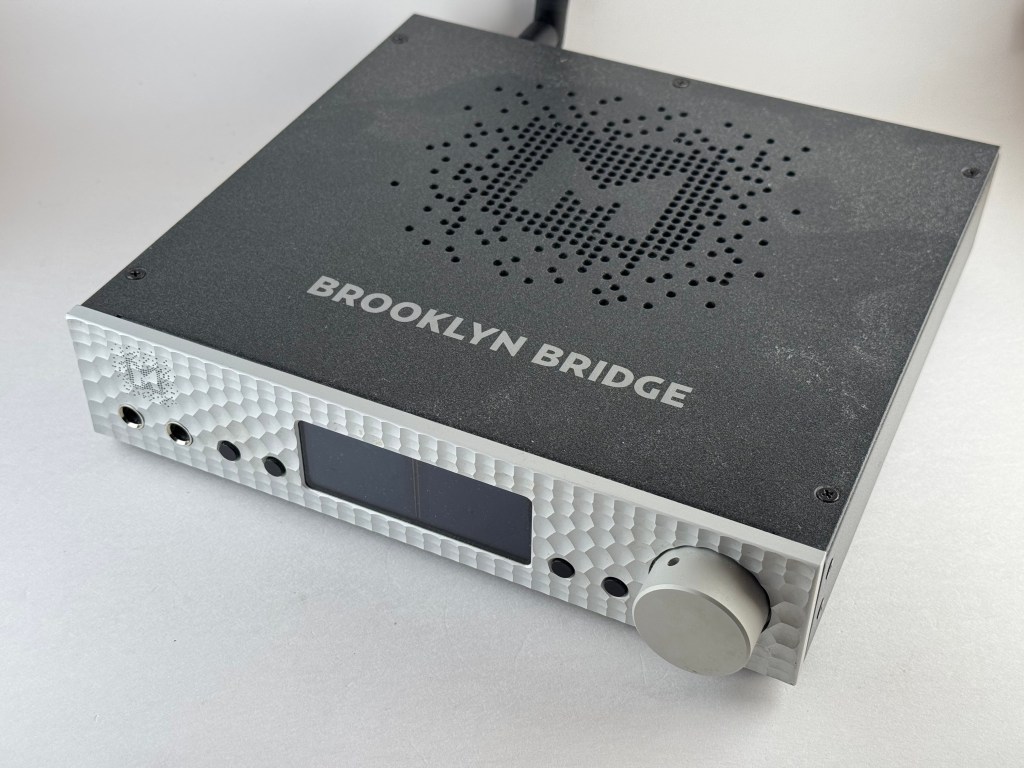
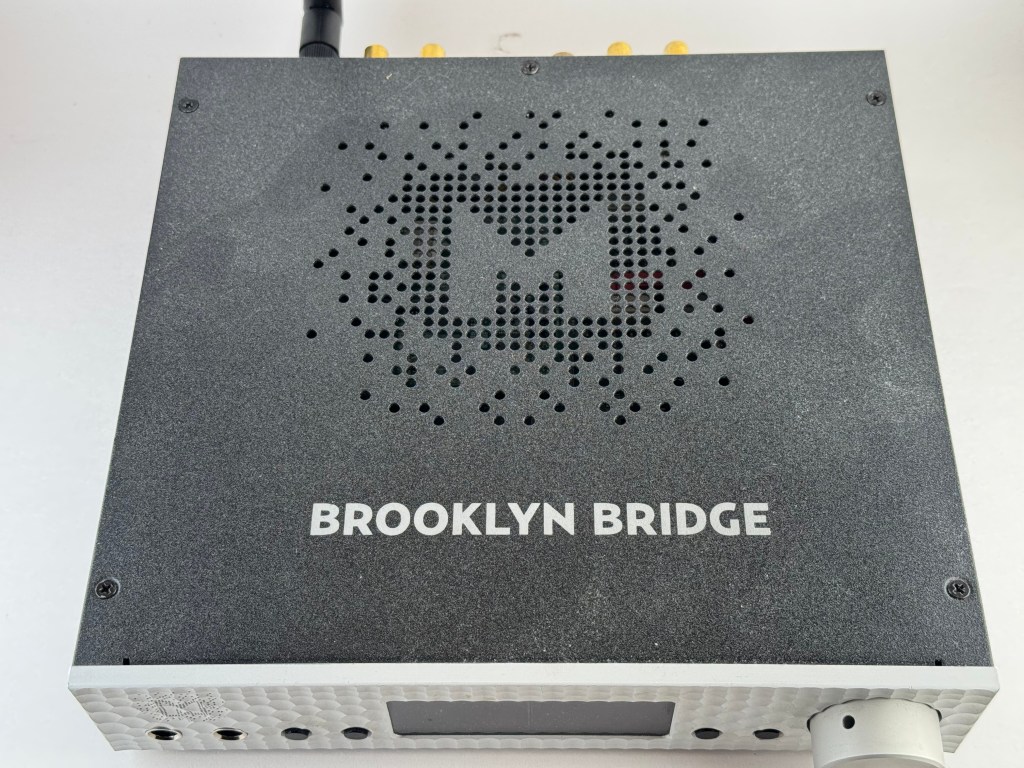
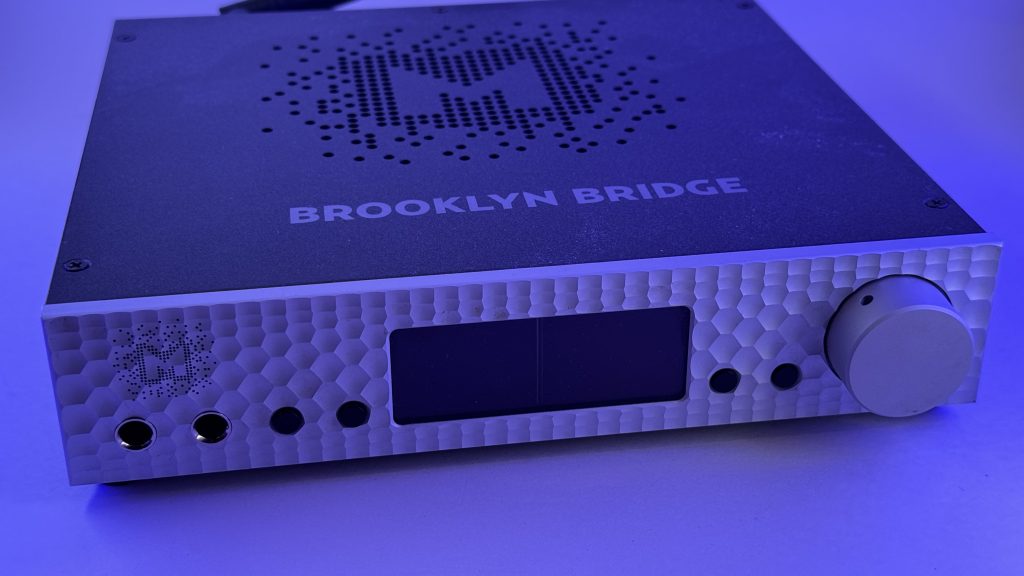
(Reviewed April 2026. MSRP $2,995, currently $1,995 Certified Refurbished on mytek.audio, purchased open box and (not-so-lightly) used on Headphones.com in January 2026)
Tl;dr: The Mytek Brooklyn Bridge is a really great, versatile unit with a lot of good potential use cases. I really like it. It’s also in a price bracket that even I find frankly pretty ridiculous, and it’s not necessarily a product that I would recommend to anyone who’s not already at least hip- (or neck?) deep in the audiophile pool. If you are, though (and bonus points if you’re a Roon user!), and are looking for a quality, dedicated heapdhone setup or a streamer/DAC for a speaker setup (especially a dedicated, formerly-analog turtable setup), it’s a great option especially if you can find one used. Even at the current refurbished price, though, I’m not sure it’s a particularly good value in the 2026 market. Lot of great, reasonably priced streaming units these days.]
Cost-agnostic: 8 out of 10 Denalis
Cost-sensitive: 2 out of 10 Denalis (MSRP), 8 out of 10 (for what I paid)
Table of Contents:
- The Basics.
- As a Network Streamer/Pre-amplifier
- As a DAC
- As a Headphone Amplifier
- What Would I Change?
- Overall
Very early in my headfi journey, I came across John Darko’s channel on Youtube. While most1 of the things he reviewed were WELL out of my price range, I really enjoyed his general take on audio, as well as both his personal review style and the production value and style of his videos. One of the things that he talked about a lot circa 2019 was Mytek Audio‘s Brooklyn Bridge, a then-just released and soon-to-be much-awarded streaming DAC. It retailed at around $3,000, in an era in which I couldn’t imagine spending more than $100 on a DAC/amp (and oh boy do I miss my original Objective2/Grace SDAC). I filed it away as something that was very, very cool but not a thing I would ever personally experience. And then, in January 2026, headphones.com decided to move warehouses and offered a clearance sale on open-box items. And as a retailer with a one year return period,2 they had a LOT of open-box items to choose from. Among those? A clearance Mytek Brooklyn Bridge for less than a grand. I had a little bit of Christmas money left, and was just about at my wit’s end with the old Bluesound Nodes in my hifi system, so I decided to take a flyer on it.
In retrospect, maybe not my finest decision? The Headphones.com listing was pretty light on details about condition and accessories, and I might have been wise to ask a little bit before I placed my order. What I got was a unit missing some important pieces (like the wifi antenna, the US power cable, and the remote), and covered in a pretty thick layer of brown gunk that took me a couple of hours to clean off (and I didn’t open the unit up, though in retrospect I’m pretty sure the warranty was long gone and I probably should have looked at it before declining to return it).
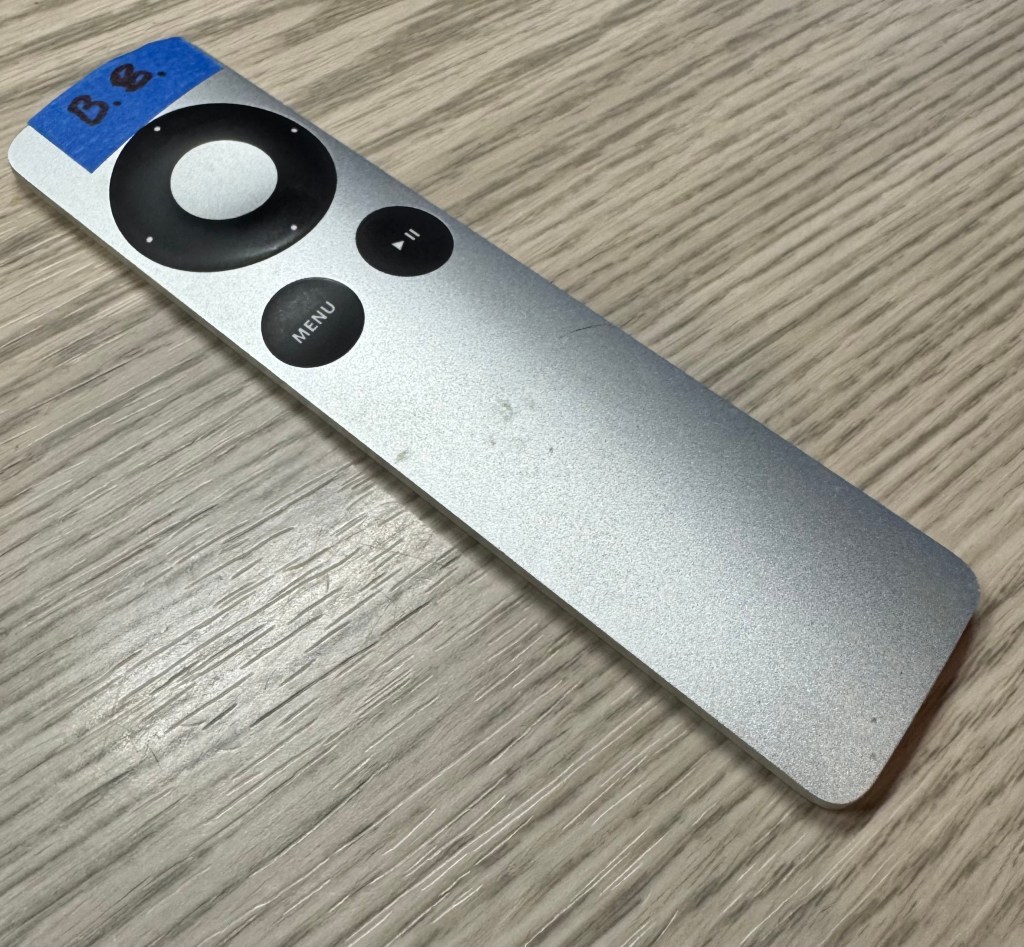
To their credit, Headphones.com immediately offered to let me return it or to accept a partial refund of $200; I was reallly curious to try the unit so I opted for the refund. I stole a cable from … something else in my house, ordered a $10 wifi router antenna from Amazon,3 and lived without a remote until last week (turns out you can sync a 2nd/3rd generation Apple TV remote to it, and I have a couple of those kicking around gathering dust, given Apple’s penchant for planned obsolescence.
Fortunately, the physical concerns were really the only problems with the unit, and I got it set up and running on my network quickly and easily.
The Basics.
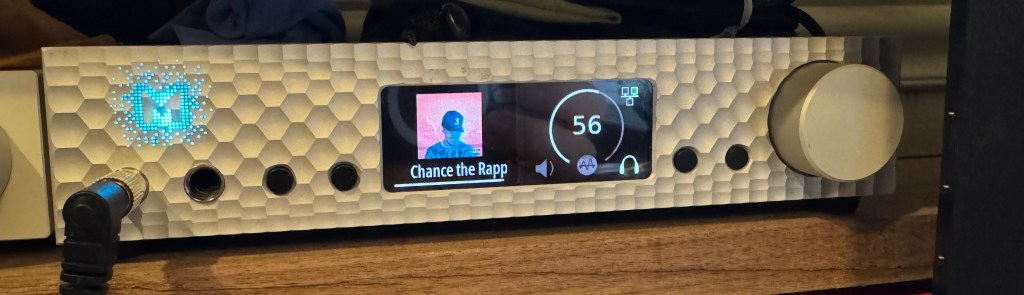
The Mytek Brooklyn Bridge is a legacy product from Poland’s Mytek Audio.4 It’s really three audio products rolled into one: 1) a network streamer, 2) a digital-to-analog converter (aka DAC), and 3) a dual headphone amplifier/pre-amplifier. To build the Brooklyn Bridge, Mytek took their well-respected and mostly well-reviewed Brooklyn DAC+ and added a network streamer. A little surprisingly, it does all three of these things well.
The Brooklyn Bridge is powered by either a standard three-pronged computer-style power cord or a 12 VDC battery/power supply, the later of which Mytek says “may have a positive impact on sound quality.”5
Inputs. The Brooklyn Bridge is a suprisingly versatile pre amp, with a variety of (mostly digital) inputs. You can connect the Brooklyn Bridge:
- To the internet: either via a standard CAT5 connection or via on-board wifi, with both allowing you to receive and process signals up to 24-bit, 192k, DSD64 quality. 6
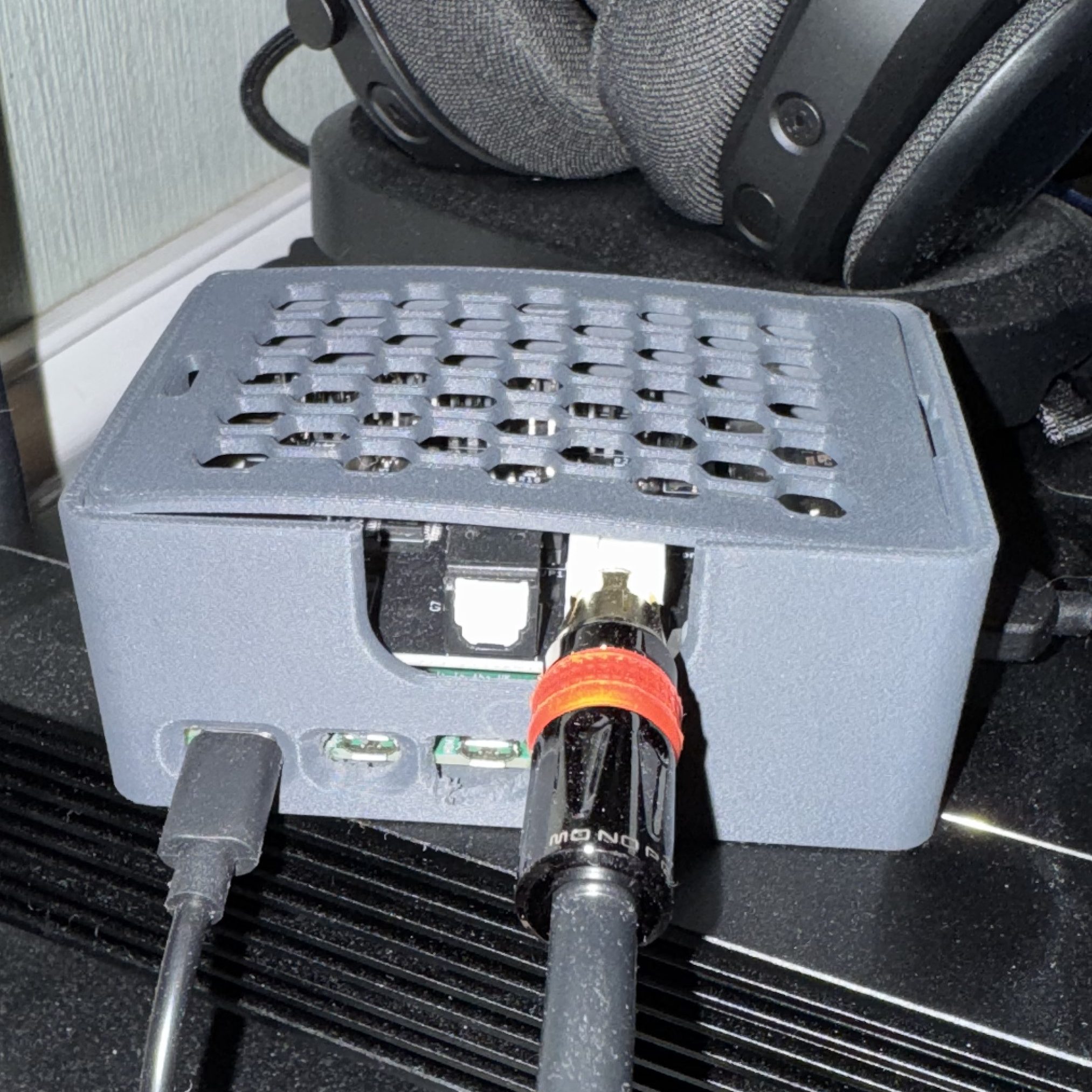
- To digital sources: via one USB type-B (2.0) and three S/PDIF inputs: two coaxial (aka RCA-type connectors) and one Toslink (aka optical-type connector).
- To one analog source: via an RCA line-level or phono input (moving magnet- AND moving cartridge-compatible), with a phono ground connector if you want to use the Brooklyn Bridge with a turntable.
- To local storage: via one USB-A slot where you can connect a flash drive or a portable harddrive, etc. with music files and play them back through the Brooklyn Bridge.7
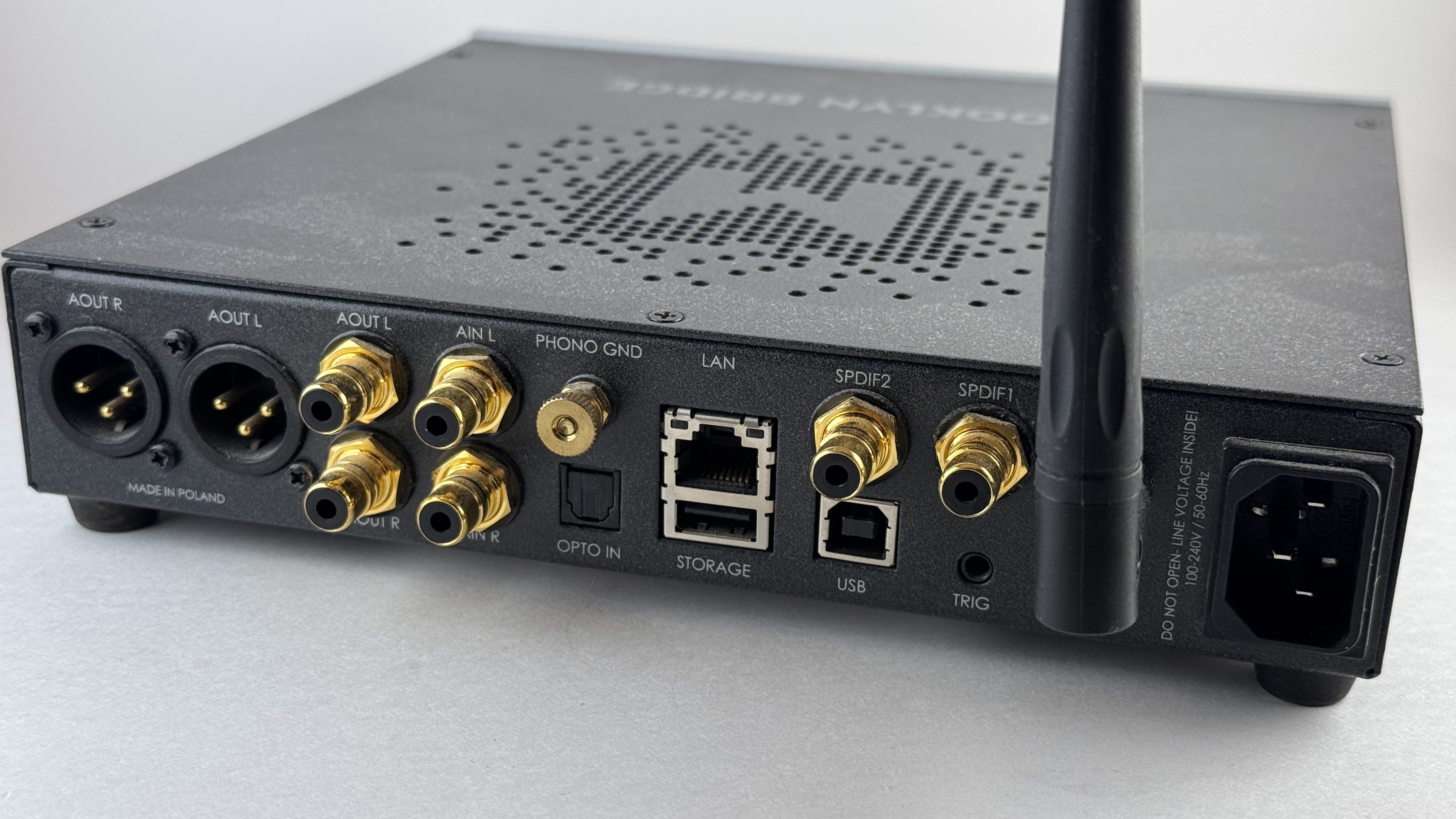
Outputs. The Brooklyn bridge has four outputs:
- Two (simultaneously-powered) line-level outputs on the back of the unit: one pair each of XLR (balanced signal) and RCA (single-ended) jacks.
- Two 6.35 mm outputs on the front of the unit (not volume independent).
Music playback. There are a lot of ways to connect the Brooklyn Bridge! But how do we actually use it, or control it? The Brooklyn Bridge is a surprisingly versatile and flexible unit given its relative age; it’s a Universal Plug and Play (UPnP) device, and is compatible with Spotify (an early version of Spotify Connect?), Foobar, Audirvana, and JRiver, and most relevant for my use case, was an early Roon Ready device.
The Brooklyn Bridge also has a standard 3.5 mm I/O trigger system built into the back of the unit, though I haven’t experimented with it as it’s not part of my use case.
Controls. This is maybe the most disappointing aspect to the Brooklyn Bridge; the control scheme isn’t incredibly hard to use, but is definitely less than intuitive. The dial on the right is, as we might expect, the volume knob. If you press and hold it, the unit turns off (and pressing it again turns the unit back on), though the Brooklyn Bridge is just a hair too light to make pressing and holding the button easy without grabbing it with your other hand (or at least applying downward pressure with your other fingers). Briefly pressing the button opens the menu:
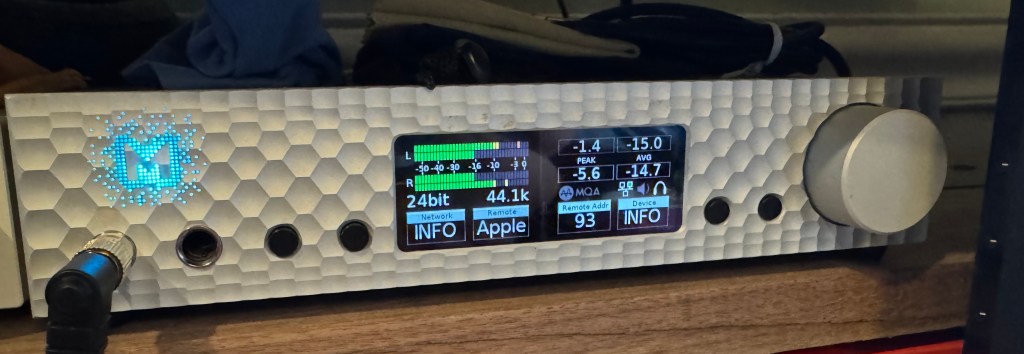
This menu provides both a pretty cool visualizer and some data about your playback.8 The four boxes at the bottom of the screen are menu options, which you can scroll through by rolling the volume dial or select by pressing the corresponding of the four glossy buttons, two on either side of the screen. Once you’ve selected one of those menu options, you can toggle the various options by rotating the volume dial. Be warned though; the system will reset pretty quickly back to playback mode and the dial will revert to volume control, so you’ll want to be speedy in the menus!
Syncing an Apple Remote (of the proper generation) to the Brooklyn Bridge is pretty straightforward: press the dial, scroll right to “Remote”, press button 2, scroll to Apple, press button 2, press button 3 (“Remote Addr”), click the center of the Apple Remote. One the remote is synced, Play/Pause plays or pauses the currently playing track (resuming seems … inconsistent, sometimes, but that may be a Roon issue rather than a Brooklyn Bridge issue), Menu opens up the Brooklyn Bridge’s menu (same as short pressing the dial), and on the directional pad, the center shows which input is active, up and down adjust volume, and left/right swap inputs.
You control the input settings via either the menu system (Dial push –> scroll to input –> press button 1 –> scroll to the correct input –> press button 1 again) or via a paired remote.
Alternatively, you can also setup/control the system using the MyTekControlPanel App, as long as you have the Brooklyn Bridge connected to either a Mac or a PC via the USB-B cable. It’s … fine, and it’s how I initially connected to my network, and how you update the software (and change the color of the Mytek logo on the front of the unit!).
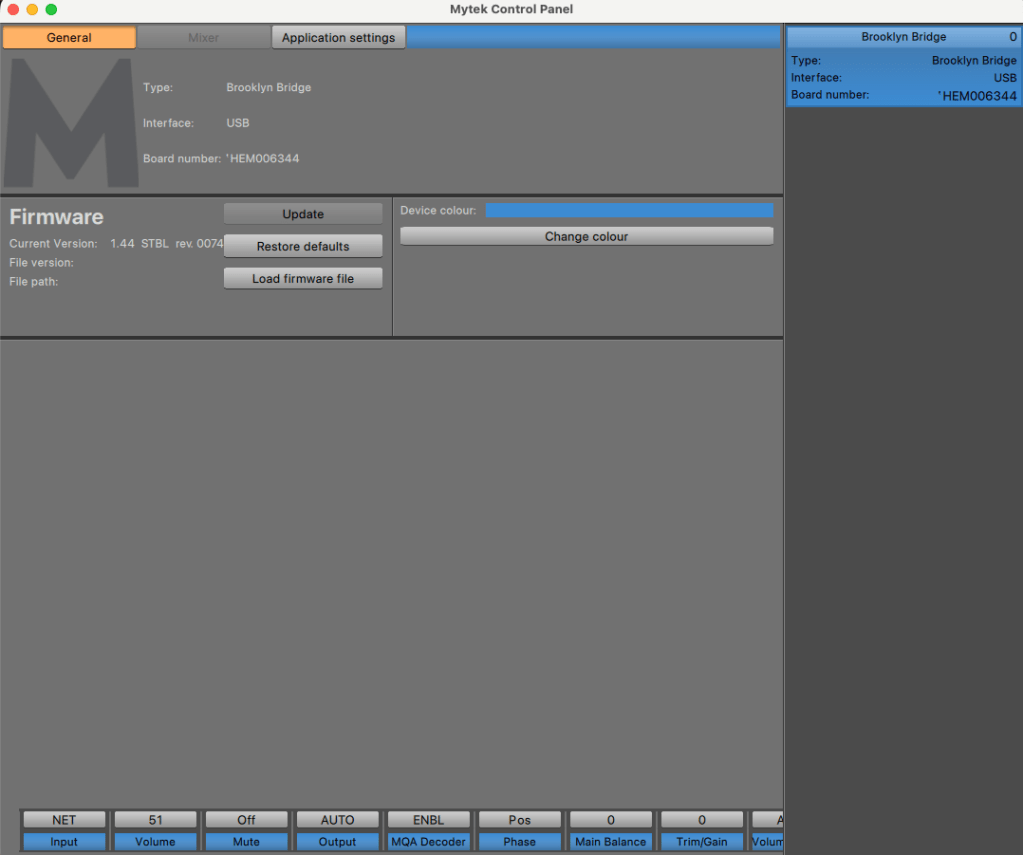
The Tl;dr for the controls: they’re fine, but not great, and you will really want to either use another system like Roon to control the day-to-day functions or invest in a remote. [But really, just use Roon. It’s cool.]
As a Network Streamer/Pre-amplifier
The Brooklyn Bridge solves a very specific (and very bougie problem for me): I work remotely from my home office, and I connect my Lenovo work laptop to a pretty nice work setup: a 39″ widescreen monitor and a pair of 27″ monitors in portrait orientation, one on either side of the central monitor., along with an ergonomic keyboard and a thumbball mouse.9 Unsurprisingly, this is also the setup and layout I want to use for my Mac Studio in my free time when I’m doing things like writing these reviews. I have both my Lenovo laptop and my Mac Studio connected to a Thunderbolt dock/KVM. Because I don’t stream music through my work machine, my DACs/amps are connected directly to the Mac Studio, and I control them via Roon. Which is great, except … after fifteen or twenty minutes, the Mac Studio goes to sleep (which I do want it to), and all of the connected devices fall off of Roon and I have to wake the Mac back up to restart the stream. As a dedicated network streamer, the Brooklyn Bridge doesn’t go to sleep unless I manually power it off; it’s always connected.
As a result, I primarily have been using the Brooklyn Bridge as a Roon-Ready streamer. It’s not even connected to my computer via USB at this point. Connecting the Brooklyn Bridge to Roon was a cinch, both via Wi-fi (once I bought an antennae to replace the missing one!) and via ethernet. I’ve been running it wired mostly just because I can, but I didn’t experience any particular issues when I was using it wirelessly.10
With Roon, the Brooklyn Bridge … just works. I’ve spent some time with some other Roon Ready streamers (iFi Zen Stream, two Bluesound Node 2s, Matrix Element i, a couple different Raspberry Pi based streamers, etc.) and this is the only one that I haven’t had to spend any time trying to get to work. The interface on the unit itself is … not the best as there’s no way to control playback on it (other than adjusting the volume), so I’d strongly recommend either getting an old Apple TV remote and pairing it with the Brooklyn Bridge OR using another device to push streams to it.
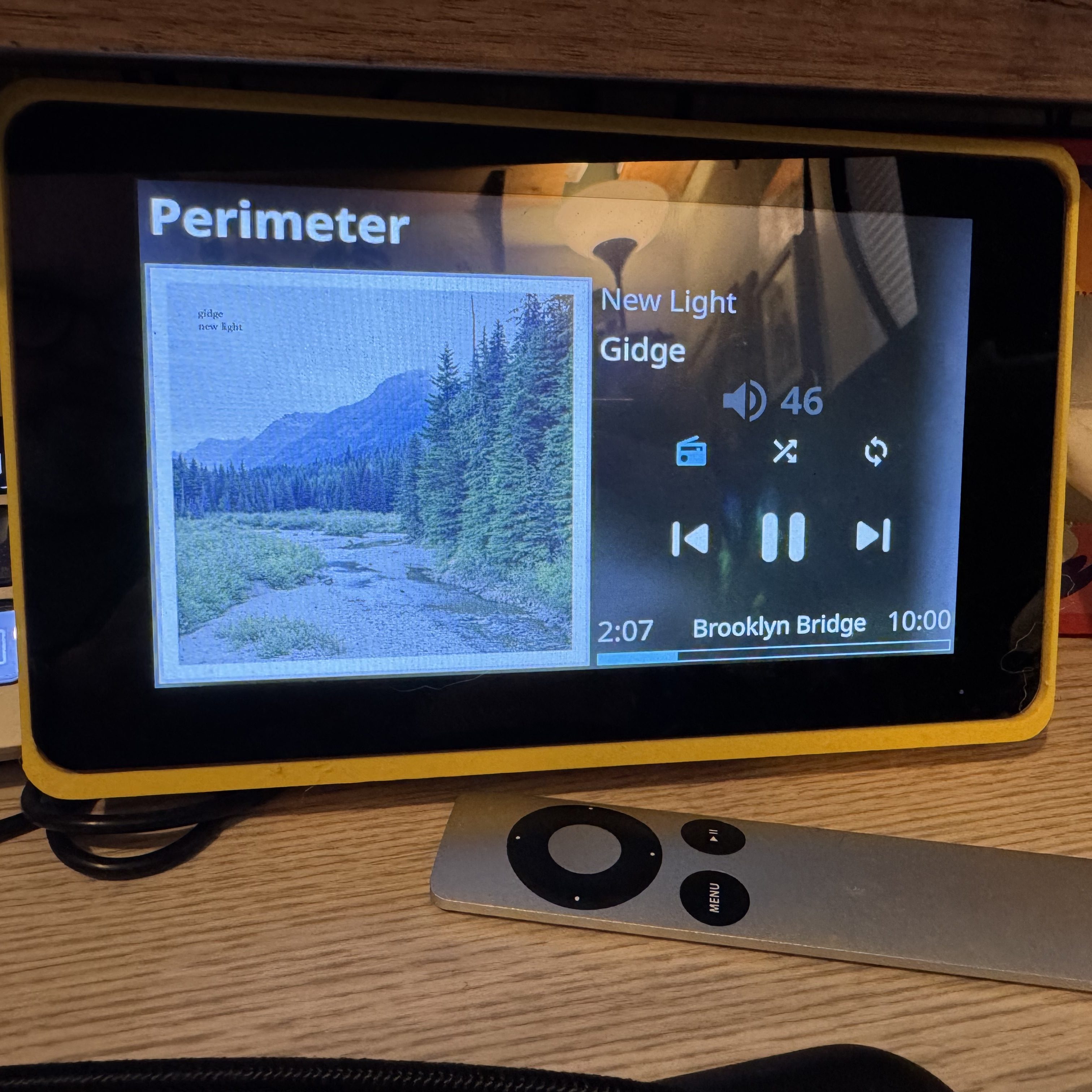
Anecdotally, I’ve have fewer issues with Roon streaming to the Brooklyn Bridge than to almost any other endpoint, including some regular DACs connected to Macs and Windows machines on my network. It does appear to be slightly slower to respond to pause/play from Roon, though, with a very brief delay between hitting a button in the Roon client and the unit adjusting accordingly.
As a DAC
The Brooklyn Bridge runs the same DAC chip as the Brooklyn DAC+, an ESS Sabre 9028. It’s … a perfectly comptent DAC, and I have no complaints. Amir at ASR reports that the second generation Brooklyn Bridge II measures quite poorly, but I personally have had no issues with the OG Bridge’s performance. But then … I’m still something of a DAC skeptic, and to my ears there are only one or two DACs that are audibly different than any other DAC, and those difference are pretty minor.
So two thumbs up from this guy for the Brooklyn Bridge as a DAC. I definitely wouldn’t spend this kind of money to use it solely as a DAC, though. You can get a really good desktop DAC for around $100 these days.11
As a Headphone Amplifier
I really like the Brooklyn Bridge as a headphone amplifier; the fact that it’s an all-in-one unit and all it takes is connecting the unit to my network and a pair of headphones to the front and it just works, is pretty great. It’s not the most powerful headphone amplifier on the market, with hard-to-drive headphones like the Hifiman HE6se v2 getting you up into the 70-80% power range, but for the vast majority of my listening it’s perfectly capable.
I appreciate that it has two headphone outputs; it’s particularly helpful when doing an A/B comparison between two headphones with similar impedance and sensitivity … which unfortunately is not ALL that often. If there were seperate volume controls for the two outputs, that would be fantastic (I have the same complaint about the Chord Mojo 2, though they’ve added that functionality for the new version). I’d also love to have a balanced out; the amplifier circuit appears to be balanced (the Brooklyn Bridge has a balanced XLR lineout on the back), and it would be great to have either an XLR or 4.4 mm headphone output on the front of the unit too.
Overall, I would say that purely as a headphone amplifier, the Brooklyn Bridge is good but not great; it needs just a few tweaks and it could get there. If all you need is a headphone amplifier or DAC/amp, there are better options cheaper in the market, but there’s value in everything being contained in a single, cohesive unit, particularly one that is just pleasing to use.
What Would I Change?
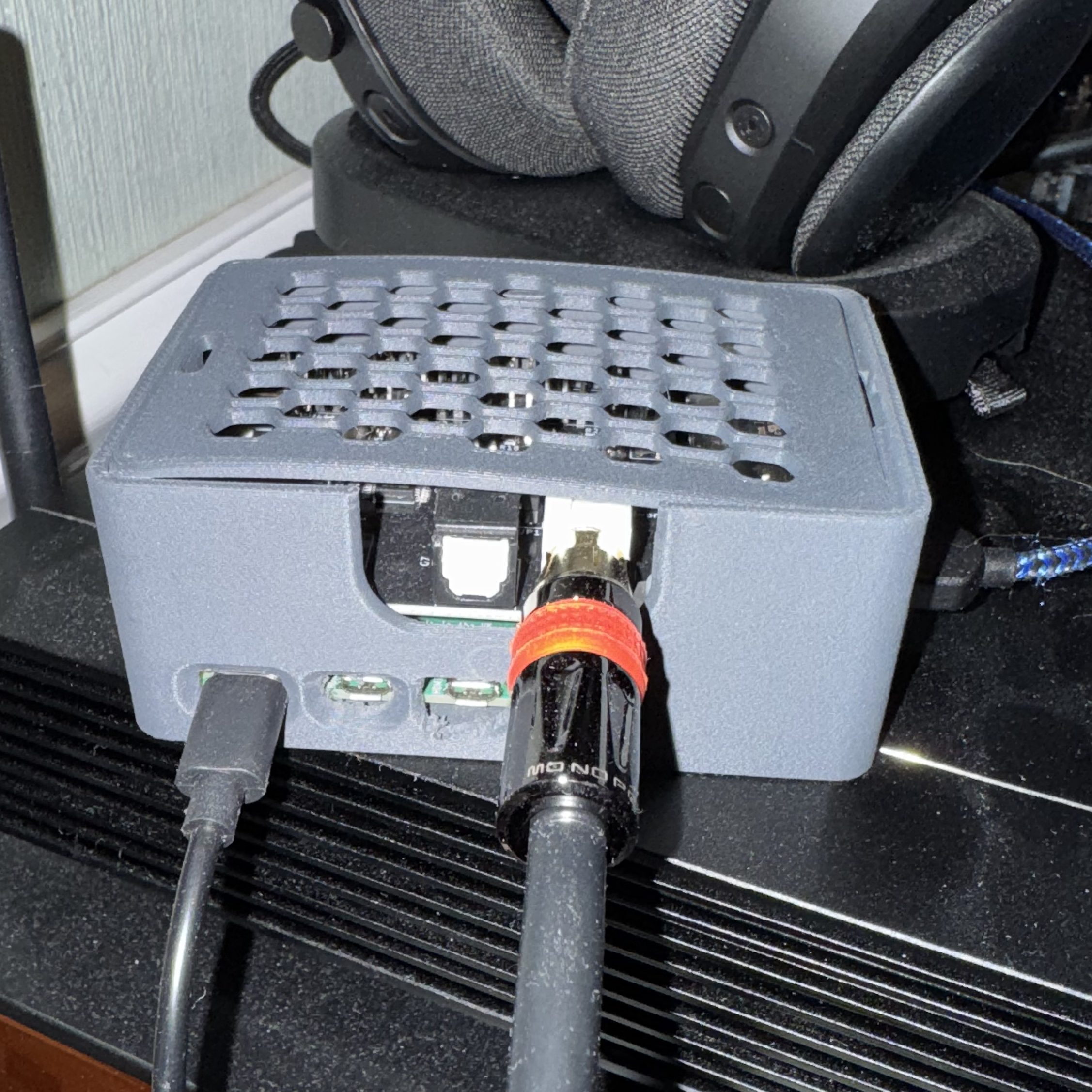
The price. I mean, the price, obviously. I can build a Raspberry Pi-based network streamer with pretty damned similar functionality as a network transport for substantially less than $200 (and, in fact, I have!). I can add a pretty good DAC12 HAT to that streamer for another … $100 or $200, or use one of the conservatively twenty dedicated DACs or DAC/amp units sitting in my office with it. Compared to that, $2,000 (let alone the original $3,000 MSRP) is a whole lot of money to spend. It’s a beautiful unit, well-designed and well-built, but I couldn’t justify paying that kind of money for an all-in-one, especially an aging one.13
The controls/remote. The controls are fine, but not super intuitive. The remote makes it a lot more functional, as does the Mytek Windows/MacOS App, though I’d love that functionality in a smart phone app. And, of course, the system really seems to be designed around use in a Roon system which solves the majority of the quirks.
Headphone outs. I appreciate two headphone outs, but when they’re both 6.35 mm and don’t have independent volume control, it limits how much use I actually get out of that functionality. Would love to have independent volume control and/or a balanced headphone jack on this unit.
Digital output. I understand that Mytek is proud of the DAC chipset and implementation on the the Brooklyn Bridge, but it’d be great to be able to use it as a digital output for some of my other DACs and DAC/amp stacks (if nothing else, would make testing them a lot easier!).14
Quality of life. I really enjoy devices with album art displays, but between the screen’s tiny size AND the fact that the screen apparenlty will burn itself out surprisingly quickly if you don’t let it auto-dim, it’s not particularly useful.15
Overall
I really like the Brooklyn Bridge and it’s a pretty neat, if imperfect, solution for a pretty specific irritation in my life. It’s also a beautiful, well-designed and built device. It’s also, conservatively, $800-1,000 even used pretty much everywhere at this point. Would I recommend you buy one at that price? Probably not.
This is the kind of device that it’s hard to figure out what to reasonably compare it to. Something like the Matrix Audio Element i streamer (originally $1,699)? A Zen Stream/DAC 3 /Can 3 stack (originally $400/$299/$229)? A BlueSound Node (originally $699)? A Raspberry Pi streamer (around $150 in parts plus printing/design time and a working knowledge of Ropiieee)?
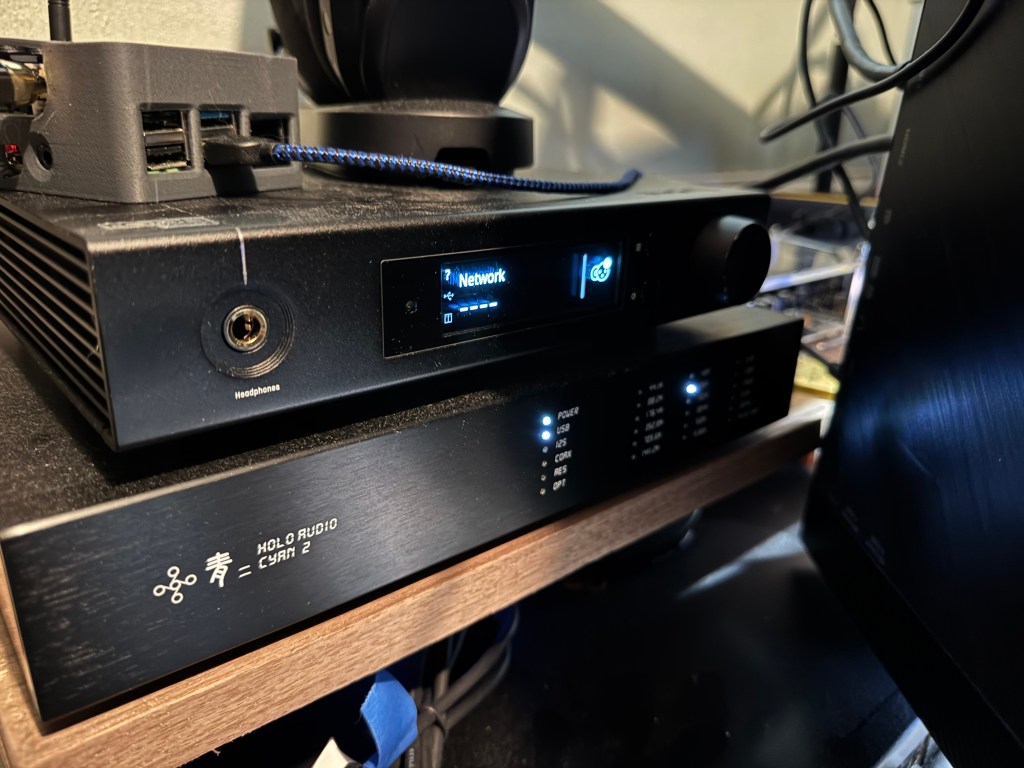
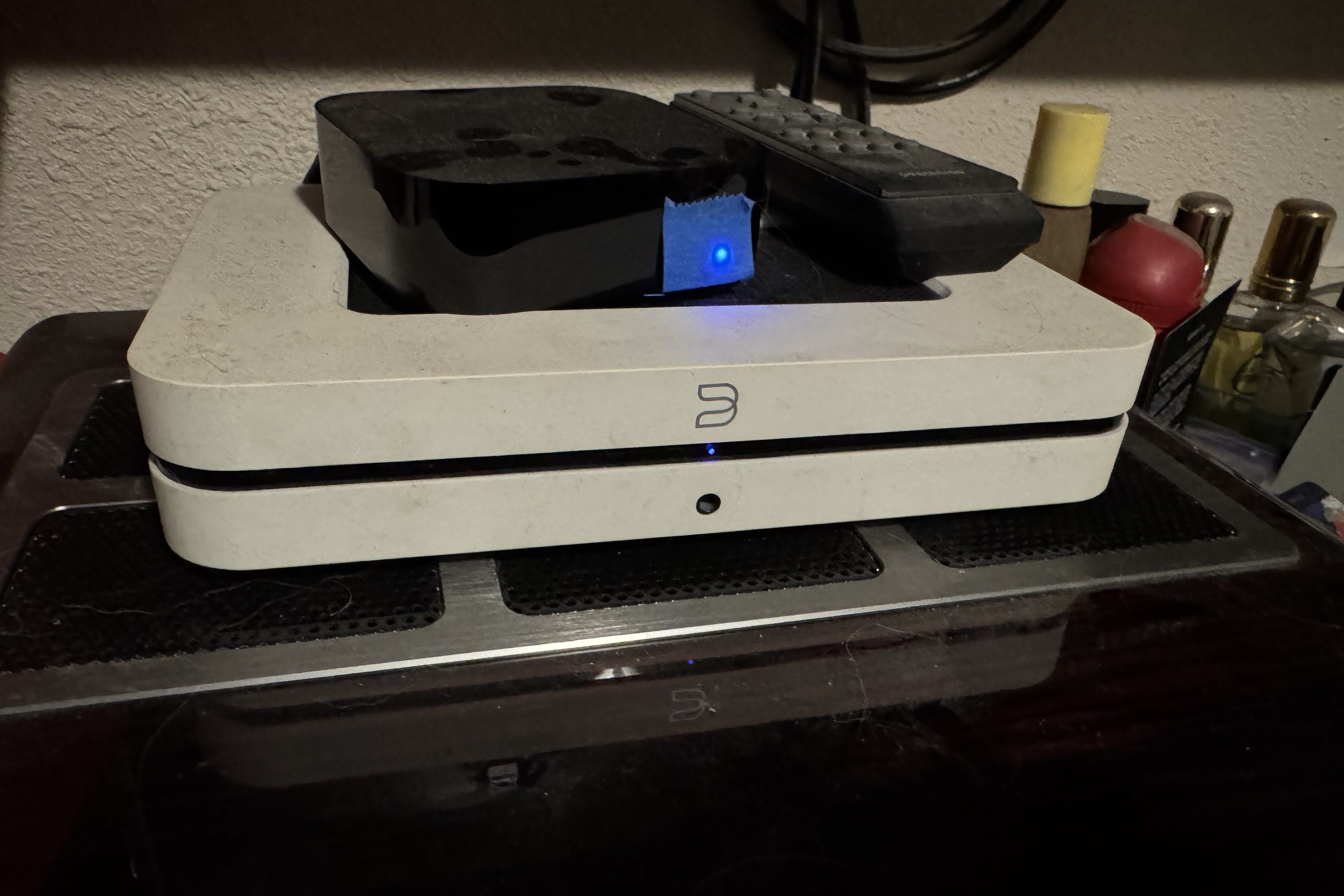
The Brooklyn Bridge is handily a better option than any of those (except maybe the Element i, which I also really like). It’s a single, well-integrated unit that works out of the box, even well-used and covered in gunk. Unusually for an object in this space, it’s also aesthetically pleasing, at least to my eye, and I wouldn’t mind having it sitting anywhere in my house or office if Kristi blessed it.
In my life, there’s real value in having a single unit that I can put anywhere and immediately start listening to headphones with excellent quality of sound and quality of life. Is the Brooklyn Bridge overkill for that use case? Absolutely. Wildly so. By a comical margin. If this one breaks, I’m not buying another but I will be very sad.
This is also a unit that has a lot of potential use cases; I’m really just scratching the surface at the moment. I originally bought it to use as a headphone out in my main listening system in my office to let me use headphones with records playing out of my Rega Planar 3 and tapes out of my random tape deck, but 1) it was short an RCA input, 2) I hadn’t tracked down a compatible Apple remote so swapping inputs was very annoying, and 3) the Devialet Expert 140 Pro super-integrated amplifier I use in that system is a phenomenal digital streamer and decoder in its own right (in addition to being one of the single most beautiful objects I own).16 The lack of a digital out meant I couldn’t even use it as a streamer. I’ve contemplated using the Brooklyn Bridge as the source for my desktop speaker system, either driving the PS Audio Sprout100 running my speakers OR just getting a cheap, dumb power amp (another Schiit Rekkr?). Or putting it in my living room next to my recliner as a dedicated headphone listening station. The possibilities are, if not endless, at least pretty numerous, and I’m confident I will be able to find a use for it for the forseeable future.
There are objects that are just so ridiculously good at what they do that they’re fun to have and use. The Brooklyn Bridge falls into that category for me, though your mileage may vary, and I really enjoy having it as part of my listening experience. I don’t think it’s going to fit into that many people’s lifestyles, but for me I’m going to keep using and enjoying this unit for as long as it will last me.
- Frankly, pretty much all. I was, at the time, a public employee, after all. ↩︎
- On some items, some of the time, with money back for a short period and store credit after that for the small subset of the items it applies to; be sure to read the fine print and look out for “Final Sale” on listings. ↩︎
- Though ultimately I’ve run it wired basically the whole time I’ve had it. ↩︎
- North American servicing and sales are done out of Brooklyn, NY. ↩︎
- And if you belive that, l have a bridge for sale in Brooklyn that you might be interested in! ↩︎
- It is MQA capable, but … I honestly could care less about MQA and I haven’t (and won’t) do anything with it other than occasionally noting in Roon that my Core is sending an MQA authenticated signal and the Brooklyn Bridge is decoding it. ↩︎
- Mytek cautions against using drives with more than 32 Gb of storage (2019 was a heady time!) or those that require very much power, as the USB-A slot is limited to .5 amps of power. ↩︎
- And as an elder millenial child of a music-loving Boomer, I’m a sucker for a good visualizer. ↩︎
- Yeah, it’s ridiculous. But the nature of my work is that most of the time I’m working on four documents simultaenously (a master agreement, a statement of work, a proposal, and a document about data), plus our contracting system, my e-mail client, and a chat client. This layout is … glorious. ↩︎
- To be fair, it sits about eight feet from my Ubiquiti Dream Router 5G Max, though it’s surrounded by other equipment using wifi and in a house whose rooms appear to effectively be a series of small Faraday cages. ↩︎
- Hell, I’m not sure I hear a difference between a $9 Apple dongle and most desktop DACs, volume matched and blind. ↩︎
- And as noted above, *I* don’t hear substantial differences between most DACs. ↩︎
- The Brooklyn Bridge II is out now, but is $4,995. ↩︎
- Brooklyn Bridge II resolved this by adding digital outs, for only $4,995!. ↩︎
- Brooklyn Bridge II ameliorated this one too, with a larger touch screen. For only $4,995! ↩︎
- Eventually I settled on the Schiit Saga pre-amp to fill that niche. Maybe someday I’ll reclaim that to let me do DAC A/B testing and move the Brooklyn Bridge into that stack. ↩︎


Leave a Reply